Now on the App Store
Your Actual Budget, on iOS.
A fast, native iOS companion app for self-hosted Actual Budget. Apple Wallet imports itself, your banks sync over SimpleFIN, and Siri logs purchases as you make them — local-first, offline-capable, and built to feel right at home on iPhone.

Free · No account required for the demo
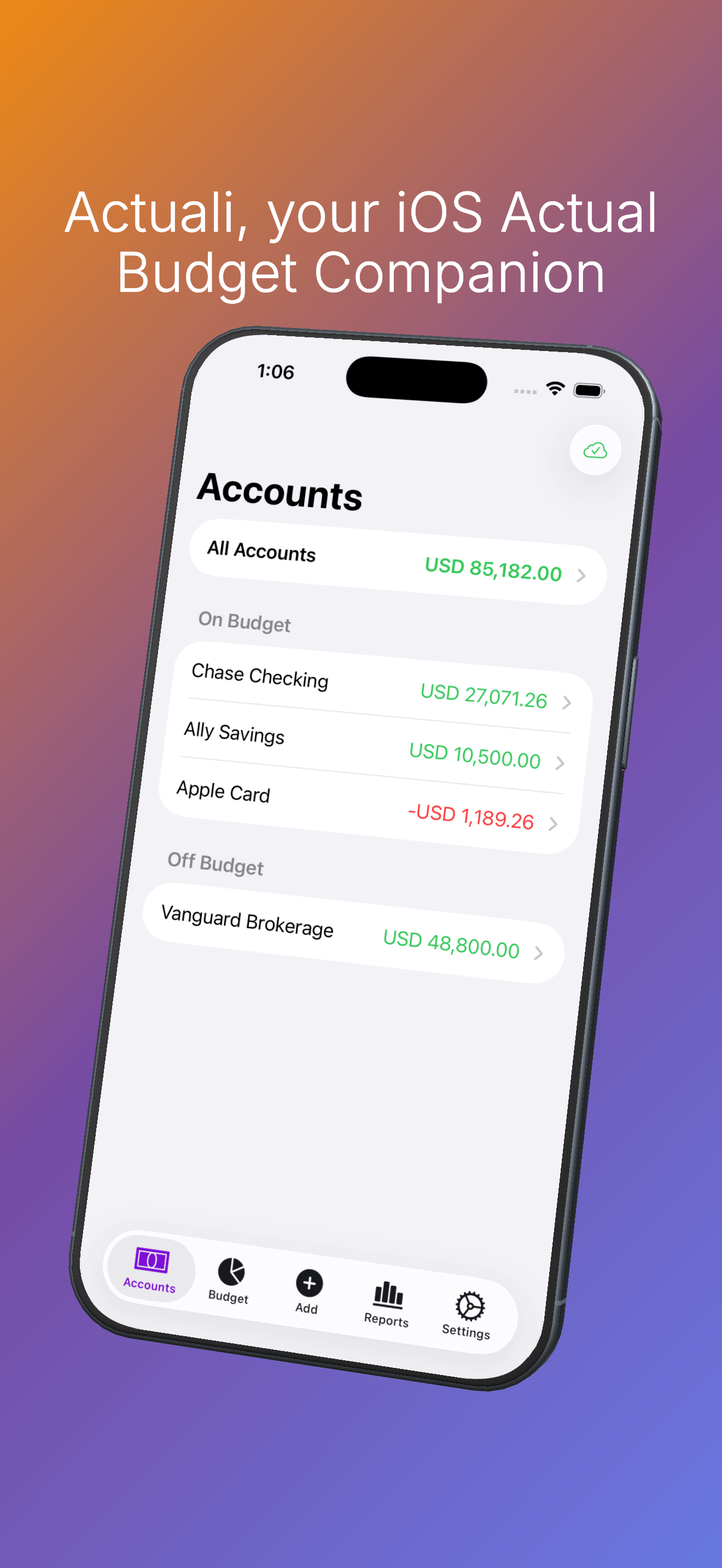
A glance and a tap
Designed for quick check-ins
Three taps to log a coffee. A glance to see what's left in the budget.
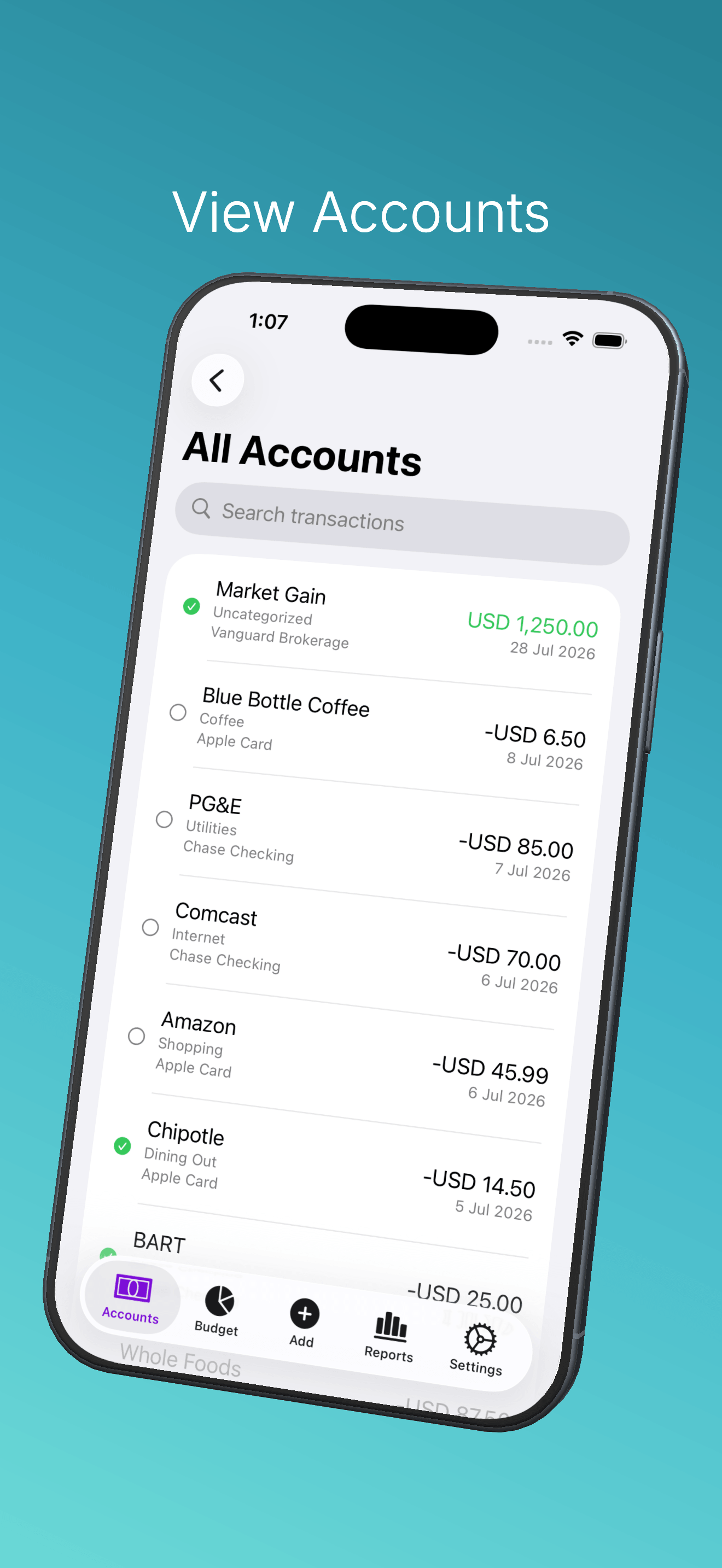
Every account, every transaction
Balances grouped by on- and off-budget, a combined All Accounts view, and your full history with cleared status at a glance. Search any account by payee, category, notes — or the amount you half-remember.
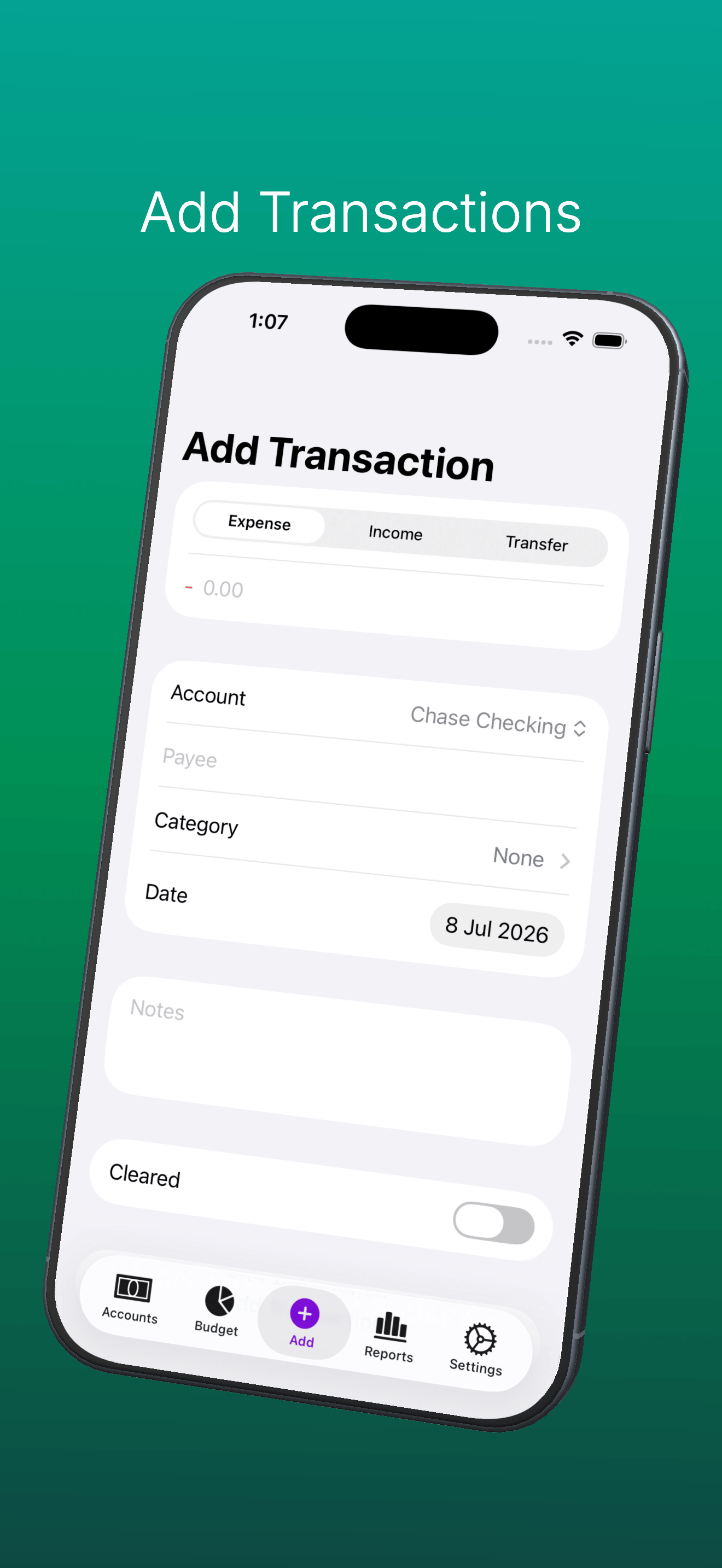
Log in seconds
Expense, income, or transfer — payees autocomplete, the category fills in from your history with that payee, and nearby payees are suggested based on where you are. A couple of taps and it syncs into your budget.
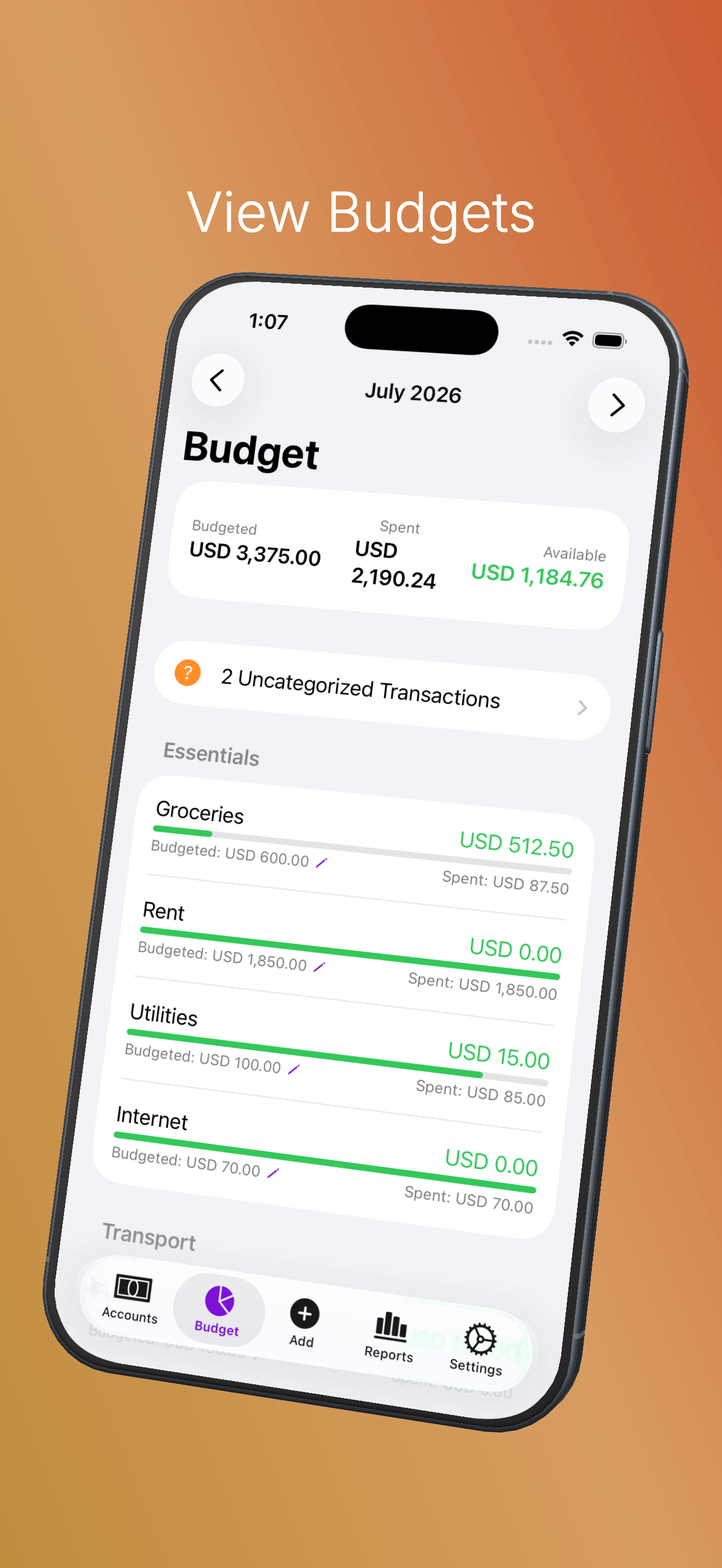
Budget you can act on
Budgeted vs spent per category with progress bars, leftover balances that roll over month to month, and an uncategorized-transactions view so nothing slips through. Edit budgeted amounts right from your phone.
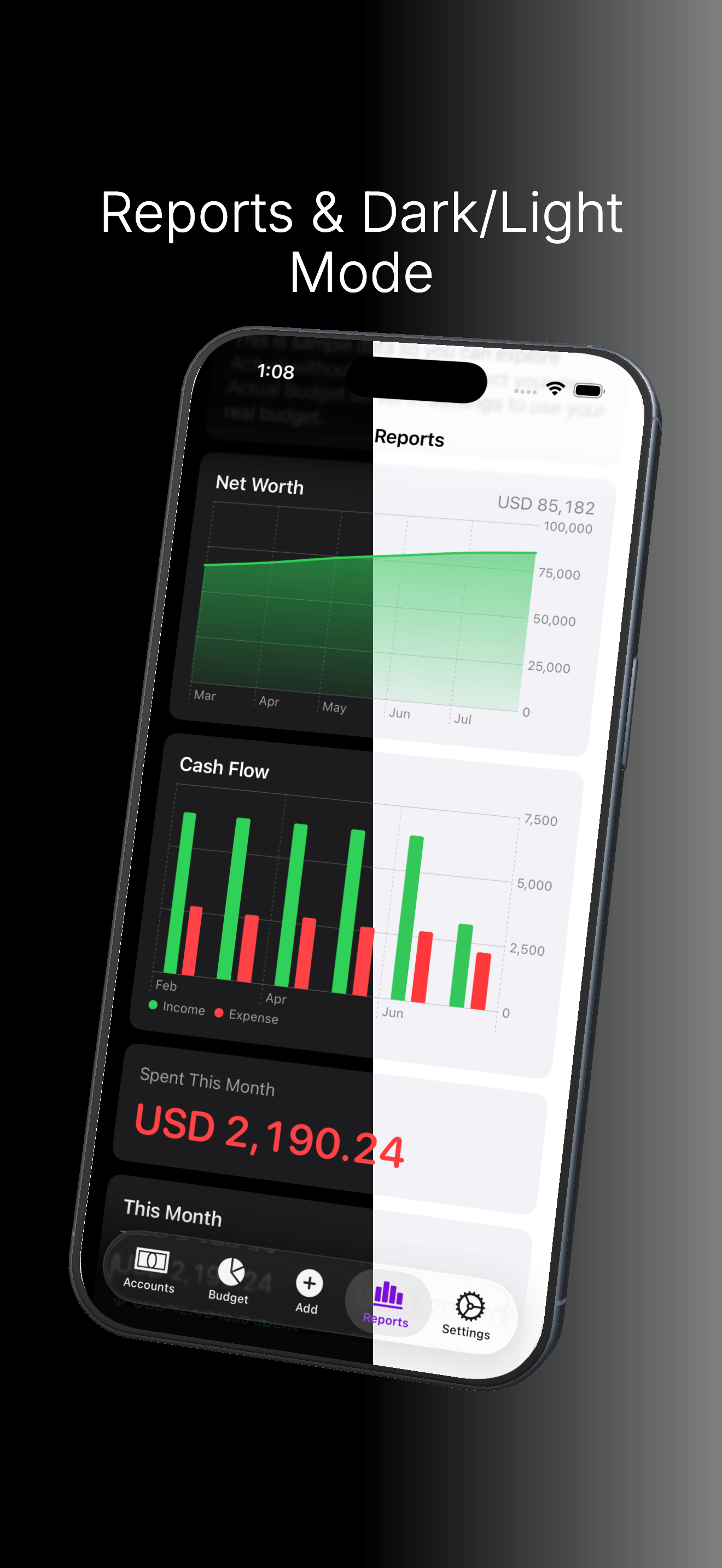
Reports, day or night
The dashboard you configured in the Actual webapp — net worth, cash flow, spending vs your average — rendered natively. Light and Dark mode follow your system, or pin whichever you prefer.
Synced, not typed
Every purchase, captured
Your budget fills itself in. Pick the capture methods that match how you spend — or stack all three.
Apple Wallet, synced for real
Connect once and your Apple Card, Apple Cash, and Savings transactions and balances import themselves via Apple’s FinanceKit — no screenshots, no typing, no forgetting. Purchases you already logged by hand are matched, not duplicated.
Your banks, on autopilot
Link bank accounts through SimpleFIN, the read-only aggregation Actual’s web app already uses. Transactions and balances flow into the right budget accounts, reconciled against anything you logged yourself.
Built natively for iOS
What's supported
The features you reach for on the go.
Expenses, deposits, and transfers
Log any transaction type from your phone. Expenses against a budget category, deposits with a payee, and transfers between accounts — all sync back through Actual's CRDT engine.
Siri, Shortcuts & Wallet
Log transactions and ask for account or category balances with Siri, a Home Screen widget, or an automation — see the Siri & Shortcuts guide. Pair it with the Apple Wallet automation guide or SMS automation guide to log purchases as you make them, routed to the right account automatically. If a background log ever fails, tapping the notification opens a prefilled form so nothing is lost.
Search everything
Search your full history or a single account by payee, category, or notes — and by amount, so "that charge for about $45" takes two seconds to find. Cleared status and categories are visible right in the list.
Smart payees
Payees autocomplete as you type, the category auto-fills from your history with that payee, nearby payees are suggested from where you've logged before, and Apple Pay-style merchant strings get cleaned up automatically.
Your rules, respected
The rules you built in Actual run on transactions logged from the app and from Shortcuts — rename rules, category rules, and note edits apply before the row is written, exactly like on desktop.
Budgets you can edit
Change budgeted amounts in-app, watch per-category progress bars, and let leftover balances carry over month to month. Hidden categories and your custom ordering match the webapp.
Your reports dashboard
The Reports tab renders the dashboard you configured in the Actual webapp — Net Worth, Cash Flow, Spending, and Summary widgets with real data, synced from your server.
Bills & schedules calendar
Upcoming bills and recurring schedules on one dashboard, with early-payment matching so a bill paid ahead of its due date doesn't double-count.
Card payment reminders
Statement due dates and payment reminders for your credit cards, so a forgotten bill never turns into interest. See the credit cards guide.
Light & Dark mode
Follows your system appearance by default, or pin it to Light or Dark from the More tab. Tuned for both so your morning coffee log doesn't blind you.
Local-first, private by default
Why self-host?
Because your financial history is the worst thing to hand over to an advertising company.
Your data, your server
Actuali talks only to the Actual Budget server you configure. There's no cloud in the middle, no analytics pipeline, no data broker watching your latte habit.
Works offline & auto-backs up
Every budget lives locally in SQLite, backed up automatically each time you leave the app. Export anytime to Files or desktop. See the backups guide.
CRDT sync
The same sync protocol Actual's desktop client uses. Edit on any device, in any order, and the merges just work.
No tracking. Full stop.
No analytics, no ads, no third-party SDKs. See the privacy policy.